How to make a Roblox horror game
A good Roblox horror game is mostly mood: a dark place, sounds players can't explain, and something that keeps them moving. It takes less code than you'd think, and a ready-made map does half the work.
What it needs
Players explore a dark place, look for what they need to get out, and hide or run when something comes for them.
- A map with tight spaces. Long halls, locked doors and places to hide. Big open rooms aren't scary.
- Something that hunts. One monster that chases the nearest player is plenty for a first version.
- A reason to keep moving. Keys to find or a generator to fix, so nobody can just stand in a corner.
- Sound. Footsteps, creaks and long silences do more than jump scares.
1Start on a map
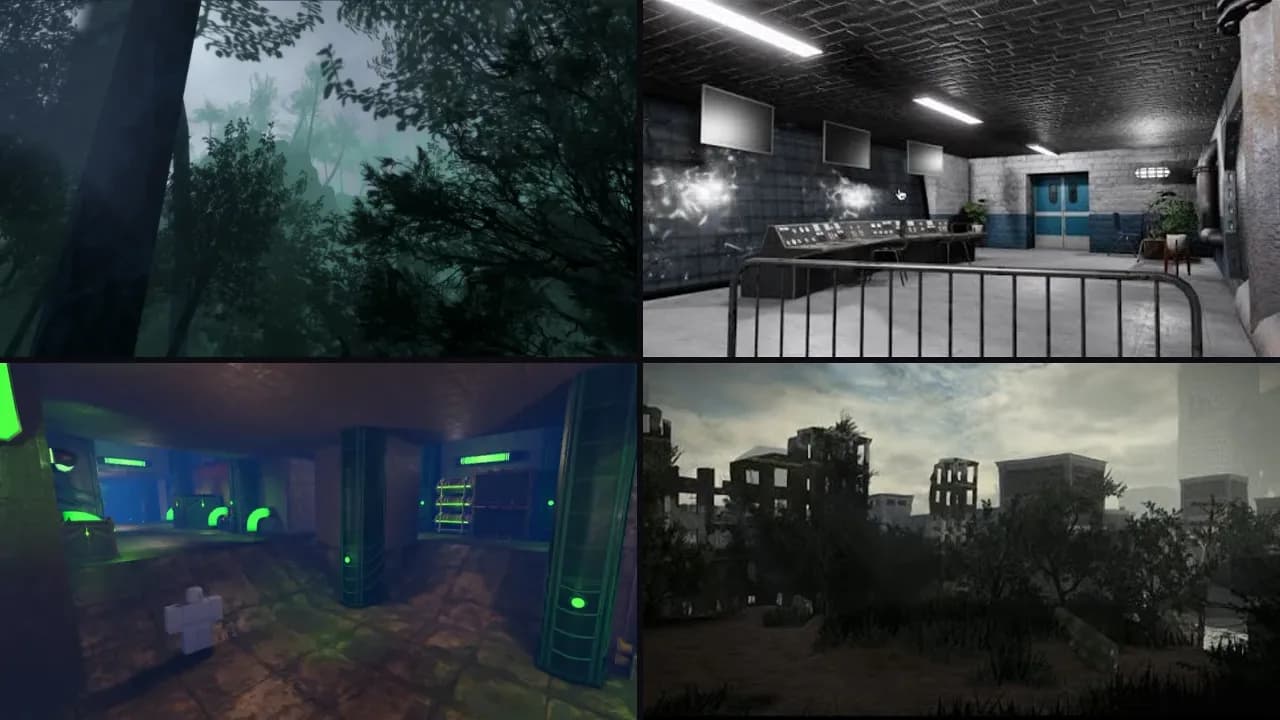
Dark halls, old houses and places to hide. In a horror game, the place does half the scaring. A finished map means your first weeks go into the game itself. Open it in Roblox Studio with File, then Open from File. Here's how, and there are free maps too.
Maps for a horror game
Ready to open in Roblox Studio.


2Add the scripts
These are free to copy and paste, each with where it goes:
- Roblox door scriptDoors to open while they look for a way out.
- Roblox sprint scriptRunning from the monster. Later, add stamina so running is a choice.
- Roblox background music scriptA low sound on a loop sets the mood.
- Roblox round system scriptRounds, if players face the monster together.
For what's particular to your game, ask the script generator. Press one of these to start from it:
3Make it feel right
- Turn the light down first. In Lighting, lower
Brightnessand setClockTimeto night, and add fog with an Atmosphere before you touch anything else. - Give each room one thing to notice: an open door, a light that flickers, a sound that stops when the player gets close.
- Let players see the monster from far away before it ever catches them. Being watched is scarier than being surprised.
What goes wrong most often
- Too dark to see where to go. Players should feel scared, not lost.
- A jump scare in every room. By the third one, nobody jumps.
4Test it and publish
- Press F5 to try it alone. To run several players at once, pick Server & Clients in the test menu and press Play. Then invite up to 10 friends to preview it, without any help from you.
- Got a model or a script from somewhere else? Run it through the free backdoor scanner first. Hidden code can take over your game.
- Choose File, then Publish. You'll need an icon and a thumbnail. It stays private until you release it, and releasing it takes an age check: here's how publishing works now.
5Earn from it
You keep 70% of the Robux players spend in your game. Start with one game pass or developer product. The tax calculator works out what to charge, and the DevEx calculator what it's worth in dollars.
Questions
Do I have to script the monster myself?
No. Roblox's pathfinding does the hard part, and you can ask the free script generator for a monster that chases players. Start simple: one monster, one speed.
How long should a horror game be?
Short is fine. Ten minutes with friends is a good first version, as long as there's a reason to play it again, like a different monster or new places for the keys.
Is horror allowed on Roblox?
Yes, but answer Roblox's maturity questions honestly when you release it. Scary content can give your game an age label, and blood and gore have limits. Check Roblox's rules for what your label allows.
Other kinds of game
Maps
Horror maps
Dark halls, old houses and places to hide. In a horror game, the place does half the scaring.
Browse mapsFree tool
Roblox script generator
Say what you need in plain words and get a working script, checked for backdoors.
Write a script